RedactDrop › Guides › Redact a resume or contract before sharing it
Redact a resume or contract before sharing it
Published 27 September 2026 · by Tekiba
Short answer: open RedactDrop's redaction page, drop the PDF on it, type each thing to take out on its own line — a home address, a phone number, a date of birth, a party's name, an amount, an account number — and press Redact and check. The words are removed from the file, the places are painted black, and the new file is checked before you download it. What needs to be removed depends on the requirements of whoever you are sending it to; this article is not legal advice.
Before you start
Decide what has to go before you open any tool. A recruiter may want your name and experience but not your home address; a portfolio sample of a contract may need the parties and the figures out but the structure left in; a court, a regulator or an employer may have rules of its own. RedactDrop removes what you tell it to. It does not decide what should be removed.
Two limits are worth knowing up front. RedactDrop works on the text of a PDF: a scanned resume, or a contract signed and scanned back in, is a picture of text, and words in a picture are not found because there is no OCR. And the free version redacts one PDF at a time of up to three pages; a longer contract, or several files at once, needs RedactDrop Pro.
A resume
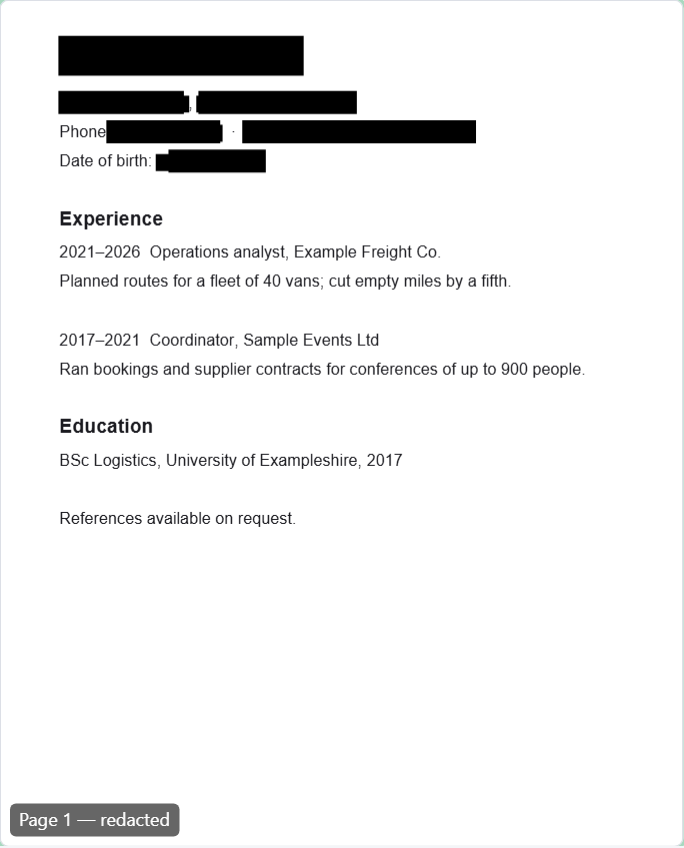
The details usually taken out of a resume shared publicly, or with a first-round screener, are the home address, the personal phone number and email address, the date of birth, and sometimes the name itself. Here is a made-up one-page resume.
- Drop the PDF on the redaction page.
- Type each item on its own line, exactly as it appears: the name, the street, the town and postcode, the phone number as written, the email address, the date of birth. If something appears in more than one form — “Riley Placeholder” and “R. Placeholder” — type each form.
- If there is a photo, drag a box over it on the page preview. Everything under a box is removed, including the image's pixels.
- Press Redact and check, and look at the result.
What the personal-data suggestions find, and what they do not
RedactDrop Pro has a Suggest personal data button that reads the text of the PDF and lists candidates for you to tick. It looks for exactly three kinds of thing:
- Email addresses.
- Phone numbers in common US, UK and Japanese formats, such as (415) 555-0172, +44 20 7946 0958 or 03-1234-5678, written with ordinary (not full-width) digits.
- Card-like numbers: runs of 13 to 19 digits, with or without spaces or hyphens, that pass the check-digit test card numbers use.
It does not find names, postal addresses, dates of birth, or bank account and routing numbers, and it does not find phone numbers written in other countries' formats. Type those yourself. The suggestions arrive ticked, so untick any you want to keep, including other numbers that happen to be laid out like a phone or card number; nothing is removed until you add them to the words.

A contract
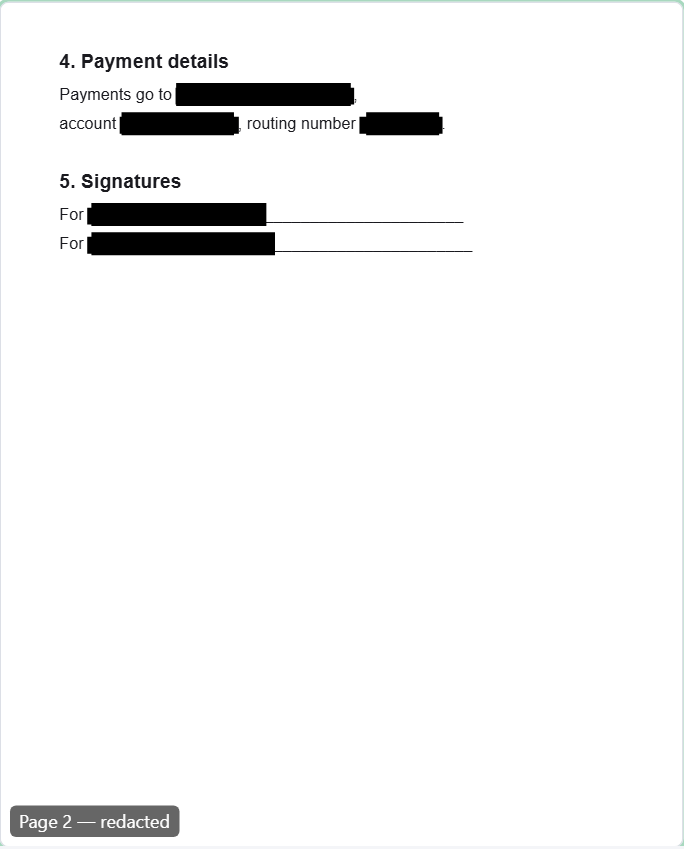
For a contract, the usual candidates are the names of the parties, the amounts, bank account and routing numbers, addresses, and signatures. Here is a made-up two-page services agreement.
- Drop the PDF on the redaction page. Two pages are within the free version.
- Type each party's name as it appears, the fee as written — “USD 48,500” — and the account and routing numbers.
- For a signature that is a drawn shape or an image, drag a box over it.
- Press Redact and check, then look at every page.
Getting the words right
- Case: by default “Smith” also removes “SMITH”. Tick Match case only if you want to keep other capitalisations.
- Punctuation and forms: spaces are ignored when matching, but punctuation is not, so a phone number written “415 555 0172” in one place and “(415) 555-0172” in another is two things to type. An amount written “48,500” and “forty-eight thousand five hundred” is two as well.
- Parts of words: a word is removed wherever it is drawn, including inside longer words, so a short word such as a first name can take pieces of other words with it. Prefer the full name or phrase.
Check the result
Before a file is offered, RedactDrop opens it again with a separate copy of pdf.js and with checks of its own, and if a page does not pass, no file is offered. It also rebuilds the file without its metadata, comments, attachments and other extras, so an author name in the document properties goes too. Then look yourself: search the downloaded file for each word you removed, and look at every page. For anything highly confidential, do not rely on the check alone.
Redact a resume or a short contract in your browser, without uploading it. Open the redaction page.
Questions
Can RedactDrop find my address and date of birth automatically?
No. The suggestions in RedactDrop Pro cover email addresses, phone numbers in common US, UK and Japanese formats, and card-like numbers. Names, postal addresses, dates of birth and bank account numbers have to be typed.
How long a document can I redact for free?
One PDF at a time, of up to three pages. RedactDrop Pro has no page limit and takes several PDFs at once.
Can it redact a scanned contract?
It cannot find words in a scan, because there is no OCR. You can still draw boxes over areas of a scanned page, which replaces the image's pixels under them.
What should I remove from my resume?
That depends on the requirements of whoever you are sending it to. Home address, personal phone number, email address and date of birth are the details people most often take out before sharing a resume widely.